2014/2015 Curriculum ~ Our final decision

curriculumchoicesbanner

We have finally come to a decision on what curriculum we’ll be using in the next school year for Koko, Fifi and Pixie.

Pixie will continue with Totschool.

Language Arts

English

Fifi will continue with the Teach Your Child to Read in 100 Easy Lessons program by Siegfried Engelmann, Phyllis Haddox, Elaine Bruner. This program has worked well for both Noo and Koko, who are both avid readers.
1
About the Author
Siegfried Engelmann is a professor of education at the University of Oregon, and has written many books on teaching, including Give Your Child a Superior Mind. He is the originator of Direct Instruction, the most successful approach to teaching, and he has developed more than fifty Direct Instruction programs.
www.zigsite.com

As soon as Fifi has finished the Teach Your Child to Read in 100 Easy Lessons, she’ll start on the Learning Language Arts through Literature Blue Set (Grade 1 Level). The curriculum consists of the LLATL Blue Set (Incl. Student Book), Who Took the Farmer’s Hat, Goodnight Moon, The Story of Ferdinand, Caps for Sale, The Snowy Day, Bedtime for Frances, The Little House, Old Hat New Hat, Make Way for Ducklings, Blueberries for Sal, Mike Mulligan and his Steam Shovel, The Runaway Bunny and Tale of Peter Rabbit.
1

Koko will be working on the Learning Language Arts through Literature Red Set. The curriculum consists of the LLATL Red Set (Incl. Student Book), A Tree is Nice, Little Bear, Balto, The Fire Cat, Ox-Cart Man, Corduroy, The Little Island, Billy and Blaze, Harry the Dirty Dog and Abraham Lincoln.
2

Afrikaans

Koko and Fifi will both be starting Afrikaans as a subject next year. We will start off with Afrikaans – Geniet Dit! – Werkboek 1 and work our way up to Afrikaans Sonder Grense 2nd language (Teachers Manual available here). Neither child can speak or understand the language, so we are going to start off with teaching the basics.
3

Mathematics

Fifi will be using the Math-U-See Primer (Grades 0-1 Skill Level) next year. I’ve head great things about this curriculum. The curriculum consists of the Primer – Instruction Manual & DVD and the Primer – Student Workbook.

Koko will be using the Math-U-See Alpha Grade 2 Skill Level next year. The curriculum consists of the Alpha – Instruction Manual & DVD’s and the Alpha – Student Workbook & Test Book.

I’ve purchased the Math-U-See Skip Counting – CD and Songbook and Manipulative Blocks separately. I need to order another Manipulative Block for when the kids work at the same time
1

Writing

We will be using the Italic Handwriting Series for writing. This curriculum comes with a Teachers Manual that helps a ton, Fifi will be using the Italic A and Koko will be using Italic B books and Italic C books.
Screenshot from 2014-10-14 21:44:27

Life Skills

Fifi will be working on the Life Skills 1 workbook and Koko will be working on the Life Skills 2 workbook.
12

Science

Koko and Fifi will be working on science together. I have decided on the Hands-on Science Foundation Phase (Grades 0-3) book. It comes complete with worksheets and experiment suggestions for each lesson.
1

In addition to Hands-on Science, Koko will be working on different space worksheets (available here, here and, coming soon, here) to foster his love for all this astronomy related.

History

Koko and Fifi will be working on Story of the World together. The curriculum consists of Test Book Vol. 1: The Ancient Times, Activity Book, Vol 1: The Ancient Times, 7 CD Audio Set Vol. 1: The Ancient Times and Hardcover Text, Vol. 1: The Ancient Times. The curriculum has been ordered, now we play the waiting game till it arrives.
3

Geography

Koko and Fifi will be working on the Pack Your Bags! Monthly Lapbook Series and Children of the World Pack, both from Enchanted Homeschooling Mom, together.
12

Arts and Crafts

The children receive a monthly arts and crafts kit from Kidazzle Kids Club. These kits are awesome. Pixie will start getting a kit every month from January.
4

Additional Activities

In addition to the above curricula, Fifi will also be working on the Kindergarten Literature Based Unit Studies from 1+1+1=1. I’m slowly purchasing all these books.
Kindergarten-Literature-Unit-Printables

monstered_sig


Privacy and Disclosure


What’s in the Box Wednesday ~ Fifi’s PreK Trays

banner

The drawers Koko has been using are not longer available, so I sourced another type of draw system and I am now waiting for them to be delivered! Keep an eye out for a future “What’s in the Box Wednesday” post with pictures of Fifi’s new boxes. Koko will continue to use the boxes he has, they work well for him. Until Fifi’s new drawer system arrives, she will be making use of the trays. Her PreK trays are stored and set out similarly to Pixie’s trays. As she completes each tray, the work gets moved to my desk where it gets marked and filed. She helps me fill her trays the next morning just before we start school.

Tray 1
We are still busy with Teach Your Child to Read in 100 Easy Lessons. She loves her reading lessons and is doing extremely well.
 photo 20140908_111804_zpsri4cgaeg.jpg

Tray 2
Her hand writing worksheets that correspond to the reading lesson for the day. She does 2, sometimes 3 (if the lesson calls for it). I try to make these as fun for her as possible.
 photo 20140908_111814_zpsfbprjhnt.jpg

She uses a combination of the following:
Teach Your Child to Read in 100 Easy Lessons – word/picture matching
Alphabet Tracing Mats
3Dinosaurs Romping Roaring Writing Practice
Lets Print Alphabet Writing Practice Worksheets
Alphabet Tracing Mats
http://www.teacherspayteachers.com/Product/Handwriting-Letter-Identification-Lowercase-Letters-688076
Alphabet Tracing Papers

Tray 3
Smart-Kids I am 5. This is a fun, age specific book. Fifi loves it. It includes worksheets, games, recipes, as well as instructions on how to decorate a box.
 photo 20140908_112104_zpscwsnm2ey.jpg

Tray 4
Gold Stars Pre-school Phonics.
 photo 20140908_112055_zps1nixongq.jpg

Tray 5
Gold Stars Pre-school Starting to Add.
 photo 20140908_111920_zpsvxgk2wfs.jpg

Tray 6
Disney Learning: School Skills – Princess How To Read And Understand. This book covers various Disney princess stories as well as comprehension exercises.
 photo 20140908_111857_zps3mbn64np.jpg

monstered_sig


Resources:
All workbox posts on Monsters Ed
All Tot Tray posts on Monsters Ed
Sue Patrick’s Workbox System
Workboxes on 1+1+1=1. This is where I got our inspiration back in the day for Noo.
Preschool Work Trays
Tot Tray Ideas for Tot School from 1+1+1=1


Privacy and Disclosure

Technology Tuesday #9 ~ Programming for Kids

technologytuesdaylinkupbanner

Papa Steve is a software developer, ie programmer, and Koko has shown tons of interest in programming. Papa has been slowly teaching Koko to programme a simple program on Kturtle on Linux and he is loving it. I have found a few programming for kids programs online that I’m sharing with you today.

Homeschool Programming Review on Royal Little Lambs
1

Jennifer and her daughter reviewed KidCoder Web Series from Homeschool Programming. Read all about their experiences with this program.

Code.org
2

Launched in 2013, Code.org® is a non-profit dedicated to expanding participation in computer science by making it available in more schools, and increasing participation by women and underrepresented students of color. Our vision is that every student in every school should have the opportunity to learn computer science. We believe computer science and computer programming should be part of the core curriculum in education, alongside other science, technology, engineering, and mathematics (STEM) courses, such as biology, physics, chemistry and algebra.

Scratch
3

With Scratch, you can program your own interactive stories, games, and animations — and share your creations with others in the online community.

Scratch helps young people learn to think creatively, reason systematically, and work collaboratively — essential skills for life in the 21st century.

Scratch is a project of the Lifelong Kindergarten Group at the MIT Media Lab. It is provided free of charge.

Tynker
4

Inspiring Tomorrow’s Makers Today

In a world where technology touches every aspect of our lives, it is crucial that our children become active creators of technology, not just passive users. What separates those who simply have an idea from those who make their ideas a reality is the ability to program. Tynker’s mission is to provide every child with solid foundations in STEM, (Science, Technology, Engineering and Math) programming and critical thinking skills to prepare them to become better architects of their future world.

Tynker’s creative computing platform helps children develop computational thinking and programming skills in a fun, intuitive and imaginative way. Our innovative visual programming language, interactive self-paced courses, and game-based programming activities provide an easy introduction to programming, and empower children to innovate and create. Tynker is available on the Web and on iPad and Android-based tablets, so that kids can make fun and useful applications for their favorite devices.

Over 8 million kids and 10,000 schools use Tynker to learn programming, via:

  • Online interactive courses that allow kids to learn programming at their own pace at home.
  • Curriculum and classroom management tools for schools and districts to teach programming in classrooms.
  • Mobile applications for the iPad and Android-based tablets for kids to learn through puzzles and build their own mobile games.
  • Instructor-led summer camps and after-school clubs for kids to collaborate and take their programming skills to a new level.

Parents love Tynker because it’s an engaging way for kids to learn how computer programming works and how to build their own games and apps to play. Schools love Tynker because it offers them an easy-to-use system for delivering customized, grade-specific Computer Science courses – complete with a ready-to-use curriculum, classroom management, and automatic assessment tools.

The Tynker Visual Programming Language is based on Open Web standards (HTML5, JavaScript, CSS) and works seamlessly across Web browsers and natively on mobile platforms (Android, iOS). Kids start programming with visual blocks and then transition to JavaScript when they are ready. We are constantly innovating and building fun solutions for kids – Tynker’s language extensions, built-in physics engine, animation libraries, and character editors provide an excellent outlet for kids to unleash their creativity.

Alice
5

Alice is an innovative 3D programming environment that makes it easy to create an animation for telling a story, playing an interactive game, or a video to share on the web. Alice is a freely available teaching tool designed to be a student’s first exposure to object-oriented programming. It allows students to learn fundamental programming concepts in the context of creating animated movies and simple video games. In Alice, 3-D objects (e.g., people, animals, and vehicles) populate a virtual world and students create a program to animate the objects.

In Alice’s interactive interface, students drag and drop graphic tiles to create a program, where the instructions correspond to standard statements in a production oriented programming language, such as Java, C++, and C#. Alice allows students to immediately see how their animation programs run, enabling them to easily understand the relationship between the programming statements and the behavior of objects in their animation. By manipulating the objects in their virtual world, students gain experience with all the programming constructs typically taught in an introductory programming course.

Hackety Hack
6

Hackety Hack will teach you the absolute basics of programming from the ground up. No previous programming experience is needed!

With Hackety Hack, you’ll learn the Ruby programming language. Ruby is used for all kinds of programs, including desktop applications and websites.

CodeAcademy
7

Codecademy is an education company. But not one in the way you might think. We’re committed to building the best learning experience inside and out, making Codecademy the best place for our team to learn, teach, and create the online learning experience of the future.

Education is old. The current public school system in the US dates back to the 19th century and wasn’t designed to scale the way it has. Lots of companies are working to “disrupt” education by changing the way things work in the classroom and by bringing the classroom online.

Programming for Kids – How to Make Coding Fun
8

Programming is becoming an essential skill in nearly every modern industry. In fact, it’s predicted that by 2020 there will be 1,000,000 more computer science jobs than computer science students. Wow!

But more than any of that, when taught correctly, programming can be a whole heap of fun! Learning to code is an amazing, practical and hugely rewarding hobby and skill for kids of all ages.

In this jam-packed 1 hour course, we focus on the tools, techniques and ideas you can use to inspire fun and creativity in programming. With an emphasis on applications, the course steers away from code syntax or the conventions of any specific language and keeps the focus on making coding fun. In fact you won’t need any background or knowledge in programming at all.

Covering games, exercises, apps and more, the course is divided into four distinct sections to help guide you from introducing your kids to code, all the way to advancing them into more complex programming:

  • Preparation
  • Before the Code
  • Where to Start
  • Next Steps

So if your kids, class or school are excited about using technology to change the world, this course will give you everything you need to provide a practical and fun foundation for your kids to fall in love with coding.

Teaching your kids how to write computer programs
9

Let’s say that you have children, and you would like to help them learn computer programming at a youngish age. As the father of four kids, I have tried to approach it from several different angles. What I would like to do here is collect some ideas for parents who are looking for different options.

Let’s start with a something important: Every kid is different. Some kids are reading and writing fluently years ahead of other kids. For them, learning to program is probably easier. Some kids have the basic analytical skills a lot earlier than others (Here’s a story about a 9-year-old writing full-blown iPhone apps). And so on. You try to expose your kids to programming and it may or may not “take” the first time, simply because of these differences. So you wait a few months and try again, or you might try a different approach. Understand that, the first time you try to introduce your kids to programming, your kids might not “get it” at all. And that’s OK.

The second thing to realize is that real analytical skills often don’t start appearing until age 11 or 12 or 13 in many kids, so expecting huge breakthroughs prior to that may be unrealistic.

That being said, there are lots of fun things you can try as early as five or six…

Kid-Friendly Programming Languages – Science Buddies
10

With the right tools, anyone (even beginners who have never programmed anything before) can easily create their own animations, stories, video games, and other interactive programs. The key is finding the right programming language for your task and your level of experience. The table can help you find just the right combination. So take a look at the table, decide what programming language is best for you, and give it a try. You may be surprised at how quickly your creations take on a life of their own!

Stencyl
11

Game Studio in a Box
Stencyl isn’t your average game creation software; it’s a gorgeous, intuitive toolset that accelerates your workflow and then gets out of the way. We take care of the essentials, so you can focus on what’s important – making your game yours.

Publish Everywhere
With extensive platform support, you can rest assured that all players will have access to your game. Today, Stencyl supports:

  • iOS (iPhone/iPad)
  • Android
  • Flash
  • Windows
  • Mac
  • Linux

Make #1 Games
Stencyl games have reached top slots in the App Store, including Impossible Pixel (#2 in US), BLiP (#1 in 18 countries) and Zuki’s Quest (#10 in US). Our best web games have been sponsored by top-tier sites such as ArmorGames, Kongregate and Newgrounds.

Kahn Academy
13

Intro to JS: Drawing & Animation
In these tutorials, you’ll learn how to use the JavaScript language and the ProcessingJS library to create fun drawings and animations. If you’ve never programmed before, start here to learn how!

  • Create Program
  • Documentation
  • Help Requests
  • Project Evaluations
  • Community Questions

Crunchzilla Code Monster
14

Code Monster from Crunchzilla is an interactive tutorial for kids that focuses on action. Code changes immediately yield visible results.

Projects start with simple boxes and colors, rapidly progressing into exciting experiments with simple animation and fractals. Important programming concepts like variables, loops, conditionals, expressions, and functions are introduced by example.

Code Monster is a gentle and fun introduction to programming concepts. It is a first step in learning to program. It is not intended to teach all of computer science and programming.

Code Monster is based in Seattle, WA. It is part of the Crunchzilla suite of game and educational projects developed by Geeky Ventures.

Free Courses for Kids
15

Teaching kids to program
Learn the basics of programming in our first course for kids. This course was designed by Pluralsight authors to teach their own children. Now you can use Visual Studio to teach your own kids to program in C#. In this lesson kids will learn about objects, methods, variables, and for loops in a fun and creative way.

Learning to program with Scratch
Scratch was designed to teach children the basics of programming in a visual way. In a short time, kids can visually grasp the basics of how programming languages work and they can create fun computer games. Scratch teaches the general skills and principles to be successful in just about any programming language, yet it’s fun and intuitive.

Learning to build apps with App Inventor
Now kids can create and publish an Android application without writing a line of code. In this course, you’ll learn how to use MIT’s App Inventor to create four functional apps and learn some basic programming concepts along the way. It’s a gentle introduction to programming in a language like Java, and you’ll have fun creating real applications as you learn.

Learn to Program: Kodu Kingdom Defense
Kodu lets kids create games using a simple visual programming language. In this course, kids will use Kodu Game Lab to learn how to program a tower defense-style action game that is able to run on both PC and Xbox.

Basic HTML for Kids
In this course, kids will learn the basics of HTML, the publishing language of the web. Step-by-step demos will show them how to build a site, including how to utilize the most common tags used in HTML5.

The Programming Language for Kids!
16

Now there’s something for you to do with your Windows computer or Windows tablet besides just blasting space aliens, checking your email, and surfing the Internet. Now you can have fun creating your own computer software (such as: computer games, tablet apps, computer art, secret coded messages … and much more!)

It’s easy! It’s SiMPLE …

And it’s Free from SiMPLE CodeWorks, Inc.

Programming for kids?
16

This site was created as a resource for parents and/or educators who are interested in teaching programming to children of different age groups.

12 games that teach kids to code — and are even fun, too
17

Coding is a big deal right now. Worldwide, 36 million kids have taken part in “Hour of code” activities, helping them become active, rather than passive users of technology and starting learning that might one day help secure a job in our increasingly tech-driven world.

Even if your kids don’t go on to code for living, a basic understanding of programming concepts improves problem-solving and thinking skills which are both transferable and empowering. Microsoft chairman Bill Gates says that: “Learning to write programs stretches your mind and helps you think better, creates a way of thinking about things that I think is helpful in all domains.“

Teaching Kids Programming
18

Agile Technical Practices
TKP is TDD for 10 year-olds, really. TKP methods include use of pair programming, test-driven development, rapid feedback and sustainable pace.

The Intentional Method
We use Mastery-based learning because programming concepts build on each other. Why we use the Socratic method to keep kids involved.

Fun for Girls and Boys
Our courseware is written and tested by and for both women and men.

monstered_sig


#1 ~ DIY Windmills: Tutorial
#2 ~ K5Learning Review
#3 ~ Time4Learning Review
#4 ~ How is Technology used in our homeschool?
#5 ~ Toddlers and Technology
#6 ~ James Hall Museum of Transport
#7 ~ Youtube?
#8 ~ Zoodles

Privacy and Disclosure

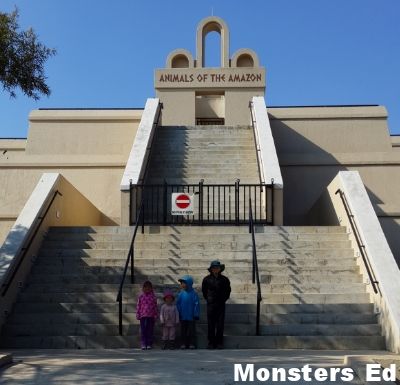
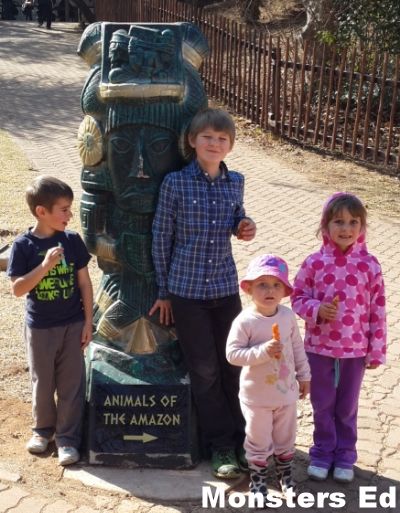
Field Trip: Johannesburg Zoo – Animals of the Amazon

 photo 20140715_100547_zps2d6d9929.jpg

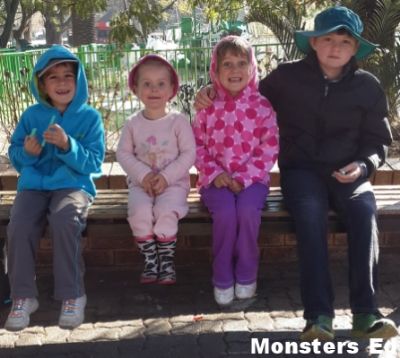
I took the children on a little field trip, during Noo’s school holidays, to the Johannesburg Zoo on Tuesday.

 photo 20140715_095608_zps82cdd1bb.jpg

We usually walk the same path every time, but this time I decided that we were going to walk a completely different route to what we usually do and boy and I glad we did.

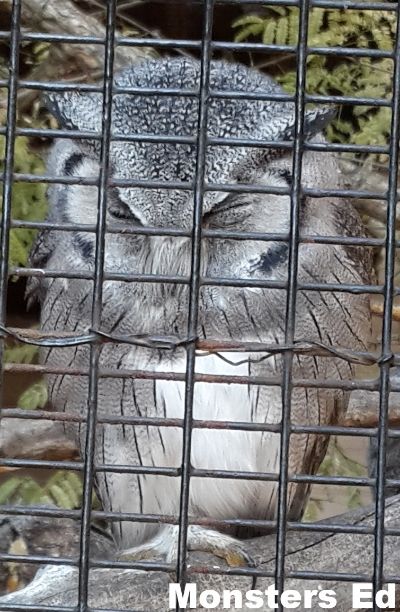
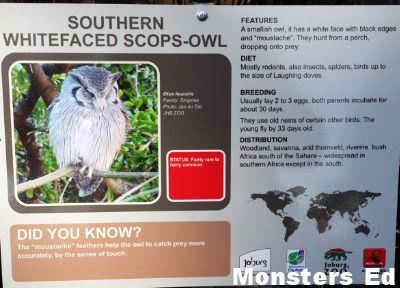
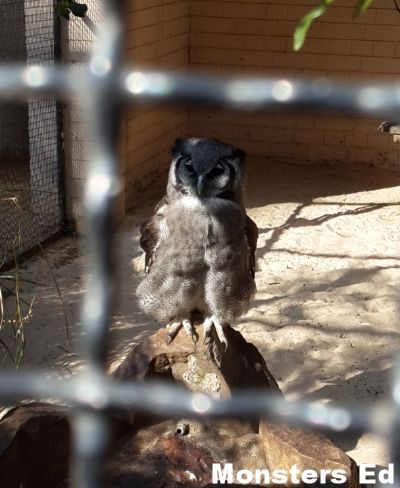
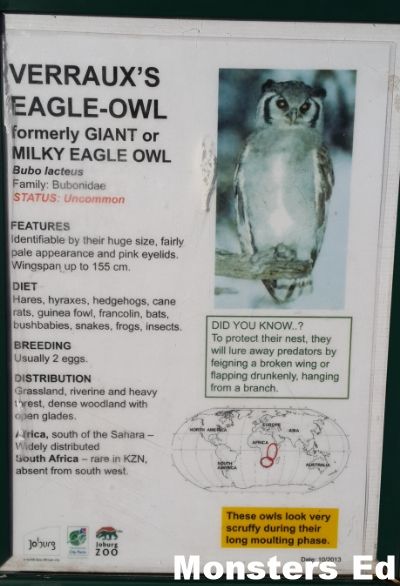
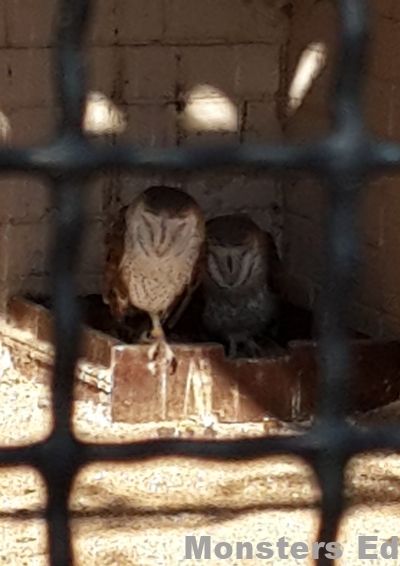
We started out at the owls, Pixie and my favourite bird.

 photo 20140715_101831_zpsbd7ff397.jpg

 photo 20140715_101213_zps0e7ec03d.jpg

 photo 20140715_101411_zps306ff289.jpg

 photo 20140715_101433_zpsbbc4cb47.jpg

 photo 20140715_101800_zpsab14f691.jpg

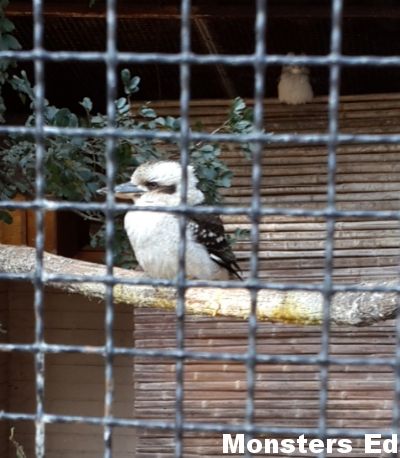
Laughing Kookaburra

 photo 20140715_101543_zpsdc6daba0.jpg

 photo 20140715_101548_zpsab05c25b.jpg

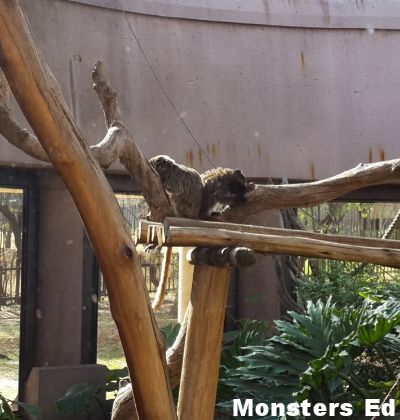
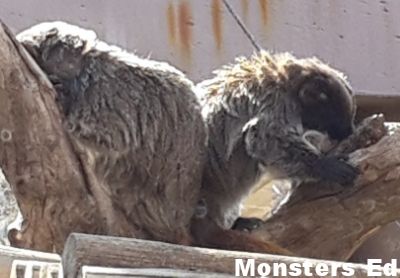
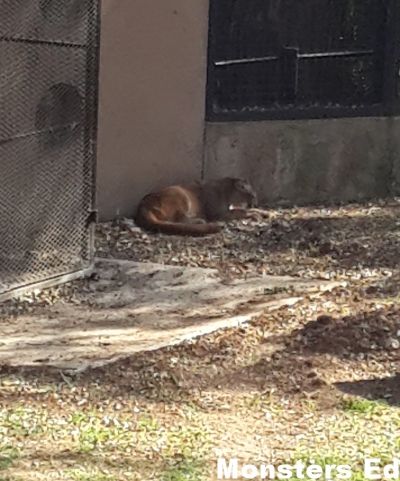
We spent the better part of the morning learning all bout Amazon creatures. They have a new, permanent, exhibit called “Animals of the Amazon“. Its a fairly new exhibit and the kids LOVED looking at the spiders, snakes, frogs (these can’t be my kids, I have Ophidiophobia – snake phobia and Batrachophobia – frog phobia), fish in the aquarium with a tunnel, bats, Tamarins, Puma, Armadillo and Ringtailed Coati…

 photo 20140715_103026_zps79c9cc76.jpg

COLOURFUL and captivating animals from the Amazon Basin made their debut appearance at the Joburg Zoo in the brand-new Animals of the Amazon exhibit on Thursday, 24 April.

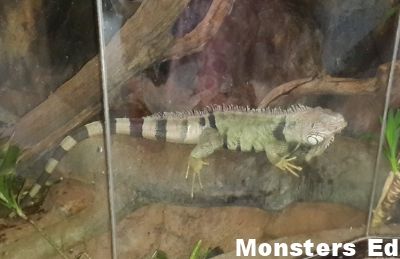
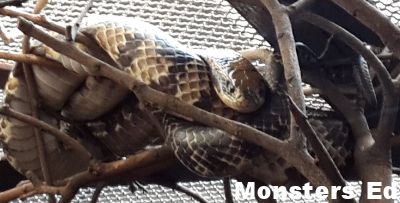
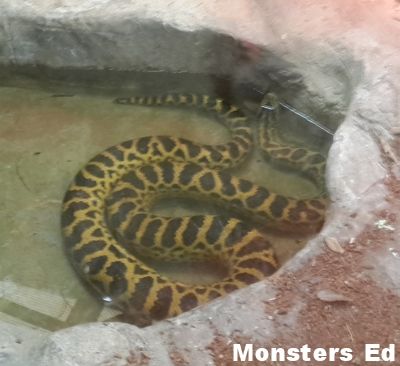
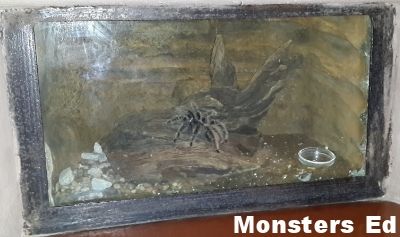
The animals include the gigantic yellow anaconda, Amazon tree boa constrictors, Honduran milk snakes, curly-hair tarantulas, Costa Rican tiger rump spiders, green iguana, Seba-short tailed bats, freshwater fish, and primates from central and South America.
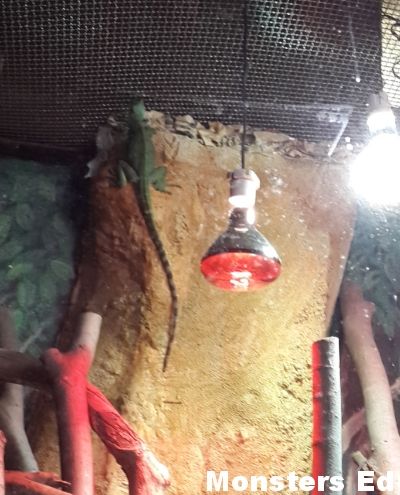
The Amazon Basin, covering areas in Brazil, Peru, Colombia and Ecuador, is home to a number of these species.
The Animals of the Amazon Exhibit is housed in a two-storey building built to resemble an ancient Mayan temple; the enclosures include a dome-shaped freshwater aquarium with a walk-through tunnel.

The Mayans were keen scientists and their descendants still live in the Amazon Basin area today. To evoke the ethos of the Mayans’s art and architecture, the enclosures have been decorated with crafted rocks and trees indigenous to the Amazon Basin. Walking through the exhibit is sure to have visitors imagining they’re exploring the Basin itself.

Source

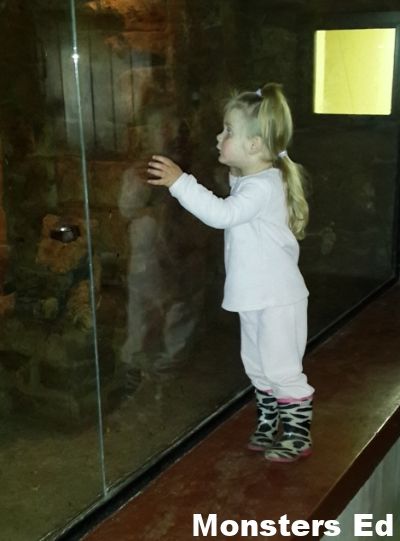
I have never seen my kids so taken by an exhibit at the zoo. They have very friendly guides that give you more information on the animals. I didn’t take any photos of the aquarium, I was to taken by the tunnel and the fish seemingly swimming around us.

Iguana

 photo 20140715_103149_zps2b414290.jpg

 photo 20140715_103926_zps5603c59c.jpg

Basilisk Lizard
Yup, a Basilisk is a large lizard, not a snake. Who knew?

 photo 20140715_103715_zps3bb8cc9c.jpg

Spiders

 photo 20140715_103232_zps425a399a.jpg

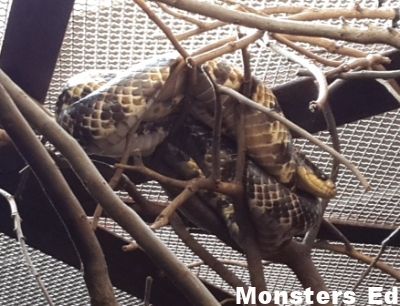
Snakes
Fake Water Cobra

 photo 20140715_104117_zps510128a6.jpg

 photo 20140715_104134_1_zpsabd91f40.jpg

We saw a little anaconda and around the corner was a big anaconda which reared its head out of the water when Noo put his face to the glass. He got such a fright and had us all rolling with laughter.

 photo 20140715_104007_zps1eaa9788.jpg

 photo 20140715_104310_zps8a21e392.jpg

Frogs
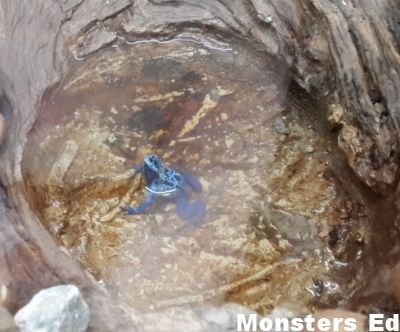
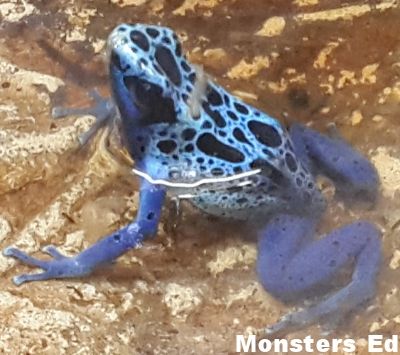
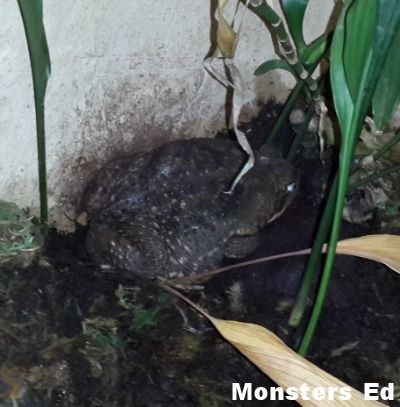
We, unfortunately (or fortunately, depending on who you ask, LOL), only got to see 2 frogs as it was cold and frogs burrow undergrounds to keep warm.

Blue Dart Frog

 photo 20140715_105142_zpsd34c7b12.jpg

 photo 20140715_105201_zps66c6b606.jpg

Cane Toad *shudder*

 photo 20140715_105545_zps8447b89d.jpg

Bats
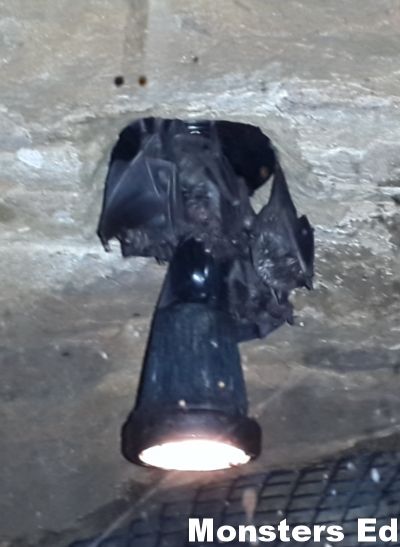
They have both Fruit and Short Tailed Bats here. I’m not sure which is which. Pixie loved watching them fly around their little makeshift cave.

 photo 20140715_105413_zpseb3dacc2.jpg

 photo 20140715_105757_zps710d2736.jpg

Tamarins

 photo 20140715_104444_zps56808b9b.jpg

 photo 20140715_104448_zpsdbb646c5.jpg

Ringtailed Coati
The armadillos were burrowed underground, so we didn’t get to see one. We’ll need to go back during summer to see them.

 photo 20140715_102850_zps5ac13ea4.jpg

Puma

 photo 20140715_102639_zps0b6fd223.jpg

After finishing up at the Animals of the Amazon exhibit, we walked through the rest of the zoo to look at the animals.

 photo 20140715_111145_zps585c022b.jpg

The children love wild animals and this was a real treat for them.

 photo 20140715_111909_zpsdce3fcb3.jpg

 photo 20140715_111916_zps31ee70c0.jpg

We missed the Polar Bear feeding by all of 5 minutes. By the time we got there, they had eaten all their fish, bar one that was still in the water. This bear was basking in the warm sun, fast asleep.

 photo 20140715_113248_zpsbe367ecf.jpg

 photo 20140715_111955_zps09e01b75.jpg

 photo 20140715_112010_zpsb6842d68.jpg

This enclosure is, by far, the smelliest at the zoo.

 photo 20140715_112712_zps70cb2694.jpg

 photo 20140715_112626_zpsf2704f64.jpg

Pixie’s favourite, the Zebra.

 photo 20140715_121054_10_zps517e9537.jpg

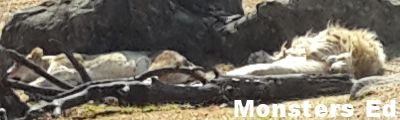
African Lions.

 photo 20140715_120824_zps65a02172.jpg

 photo 20140715_121119_2_zps52cc4d36.jpg

White African Lions.

 photo 20140715_121438_zpsa9c02179.jpg

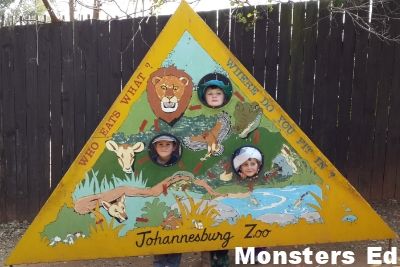
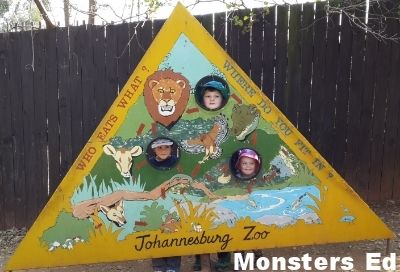
We learned about the animal food chain.

 photo 20140715_121339_zpsc6618b0c.jpg

 photo 20140715_121353_zps918c0fcb.jpg

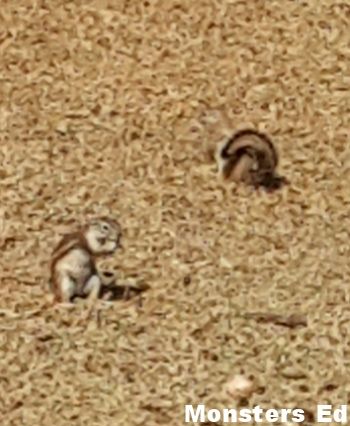
Ground Squirrels.

 photo 20140715_122045_zps62624b40.jpg

And of course a visit to the zoo wouldn’t be complete without seeing the Elephant.

 photo 20140715_124310_zpsa075d1ed.jpg

We found King Julian the Ring Tailed Lemur.

 photo 20140715_124358_2_zps7148b7f9.jpg

monstered_sig


Privacy and Disclosure

Poppins Book Nook ~ Treasure Island {Part 1}

Poppins Book Nook main image 2014 - 2015

Treasure Island (Classic Starts) By Robert Louis Stevenson

Treasure Island (Classic Starts)
By Robert Louis Stevenson

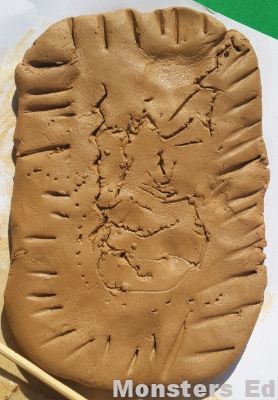
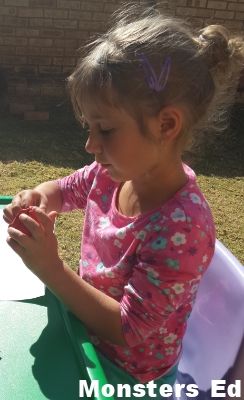
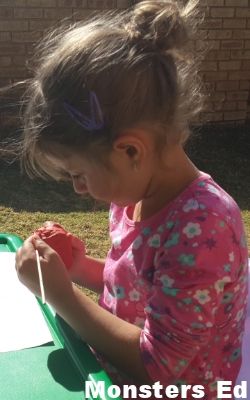
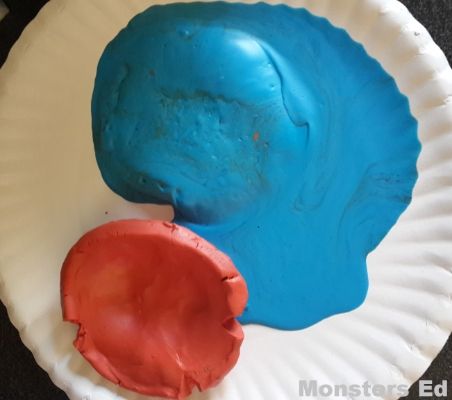
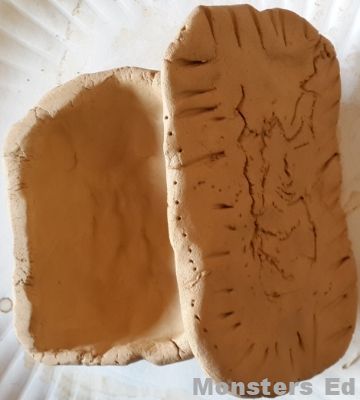
For the next two months we are reading Treasure Island by Robert Louis Stevenson. I decided to do a double month of this book seeing as the themes we have for June and July are “The Great Outdoors” and “Ye Old Pirates”. There are so many different activities that can be done with this book. This month we spent 99 % of our dedicated book club time reading the book and when we were done with the theme, the kids made treasure boxes with modelling clay (Fifi) and air drying clay (Koko).

kidazzle

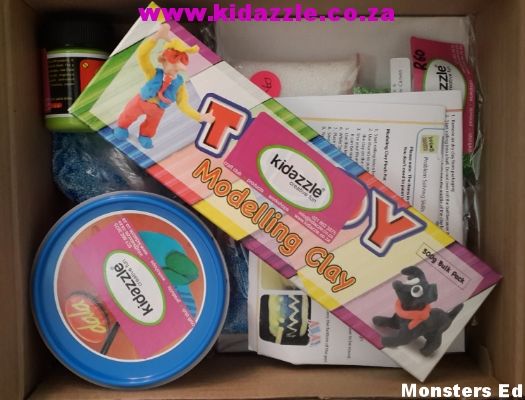
Koko and Fifi are monthly subscribers of the Kidazzle Kids Craft Club and they receive awesome arts and crafts kits every month. Last month they received a modelling clay kit and it was perfect for our Book Nook theme this month. How is that for timing?

 photo 20140623_134500_zpseuuy2mzz.jpg

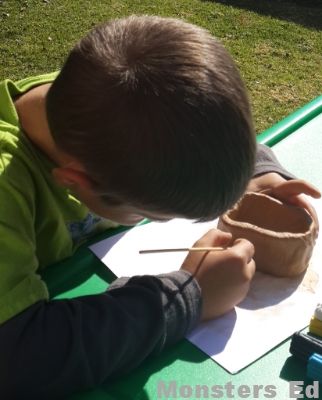
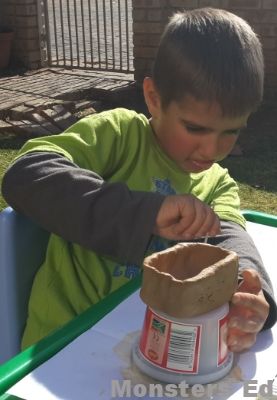
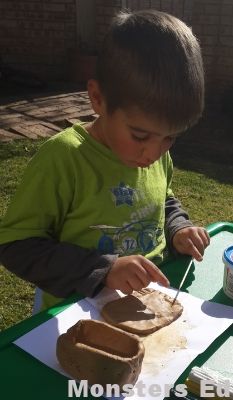
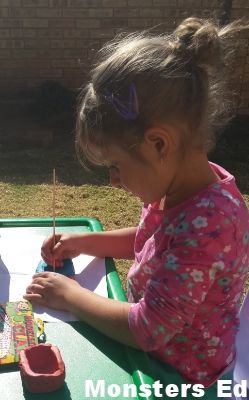
We spent one afternoon out in the warm sun making their treasure boxes. Pixie was napping at this point and the kids could sit and work leisurely without having the little monster causing chaos.

 photo 20140623_135355_zpstxiqjmwe.jpg

 photo 20140623_135601_zpsrsxobmil.jpg

 photo 20140623_140030_zps4ww52ws3.jpg

Koko drew the treasure map on the lid of his treasure box

 photo 20140623_140745_zpselxku5lx.jpg

 photo 20140623_135357_zpsgyzvzmtt.jpg

 photo 20140623_140033_zps2hxwh16r.jpg

 photo 20140623_135604_zpspjqkhwut.jpg

Its a little to cold here and air drying the boxes would have taken forever. Koko’s baked perfectly while this was Fifi’s box. Modelling clay CANNOT be put in the oven. This picture was taken 5 minutes after putting it into a low oven. Her new box is still drying, I will feature it next month. *face palm*

 photo 20140623_142823_zpsq2puv11q.jpg

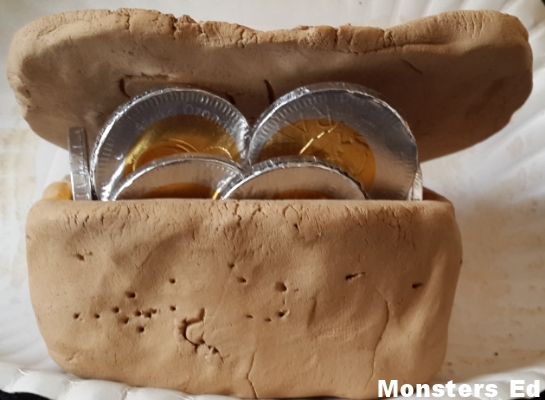
Koko’s treasure box. He decided to leave it unpainted to make it look dirty since it was supposedly buried for a long time.

 photo 20140630_133422_zpsslnfpkvu.jpg

Koko’s treasure box with treasure.

 photo 20140630_133503_zpsrmqlbklr.jpg

Be sure to check in again next month to see the activities I have planned as we continue to navigate the pirate infested waters!

monstered_sig


Previous Poppins Book Nook posts:
May 2014: How Old Jackal got the Pigs {African Folktale}
April 2014: The Story of Cars
March 2014: Alice in Wonderland
February 2014: 2014/2015 Introductory post
July 2013: Penguins
June 2013: The Amazing Machines a Truckload of Fun
May 2013: Dinosaurs
April 2013: The Wonderful Wizard of Oz
March 2013: Princess Petunia and the Good Knight
2013/2014 Introductory post

Poppins Book Nook


Privacy and Disclosure

2014/2015 Curriculum ~ We have a plan!

curriculumchoicesbanner

The decisions have been made! After many a sleepless night, I have finally come to a decision on what we are going to be using next year. Here is the run down of what we’ll be purchasing over the next few months:

English
Koko: Learning Language Arts Through Literature – Red Book
Fifi: Teach Your Child to Read in 100 Easy Lessons
Clonard Grade R Readers

Mathematics
Koko: Math-U-See Alpha
Fifi: Math-U-See Primer

Handwriting
Koko: Italics B
Italics C
Fifi: Italics A

History
Koko and Fifi will be working together here:
Story of The World Volume 1
Story of The World Volume 1: Ancient Times Book List
I have decided that we are going to do a chapter a term (every 3 months). That way we can put our full attention to each chapter and not feel pressured to finish all the work, activities and books I want to cover for each ancient civilisation.

Geography
Koko and Fifi will be working together here:
Pack Your Bags! Monthly Lapbook Series
Children of the World Pack

Science
Koko and Fifi will be working together here:
We will be covering Anatomy next year and utilising the How Your Body Works that were gifted to us by a good friend.

Art
Koko and Fifi will be working together here:
ARTistic Pursuits Early Elementary K-3 Book One
ARTostoc Pursuits Art Supply Packs

monstered_sig


Privacy and Disclosure